




MetaTrader, install several of them on one PC
03
02
01

Choosing the right exchange,
BrokersConfirms.

MetaTrader (metatrader) has two versions: MT4 and MT5.
There are times when you need to set up automatic trading or separate accounts to trade manually.

It's very simple and easy, so I suggest you check the details.

Longbeno01

Why do I need to install multiple MetaTrader?

It's not just to see multiple accounts.
Manual trading traders and automated trading (EA) users who have control over their trading can install them for the following reasons.

  1. Separation of EA strategy: Installed in separate MetaTrader to avoid as many errors as possible when testing multiple EA simultaneously
  2. Account differentiation: When controlling the account numbers in demo/live accounts
  3. Screen Monitoring: Monitor multiple charts based on accounts simultaneously

Thus, it can be divided into three main categories, and accordingly, MetaTrader multi-installation is practically the basic and essential feature.

Preparation before installation

The installation process is not difficult, but there are some prerequisites.

1. Prepare the installation file

Please download the installation file (.exe) for the Mt4 or MT5 trading platform you are using.

Note: The installation program name varies for each broker.

2. Plan the division of folders

By choosing folder names that are easy to remember based on the strategy, you can keep them in mind even after time passes without forgetting them.

02

Full-fledged multi-installation

Let me give you an example from Vendy Market.

1. Download the installer file from the broker to the latest version.
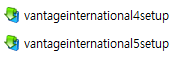
The image above is the installation file for vantage markets.

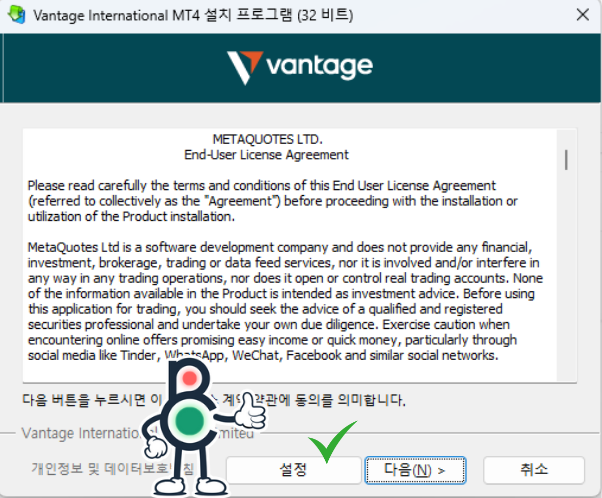
2. Double-click the installation file to run it.

3. Go to the setup before installation.
4. Set the route.
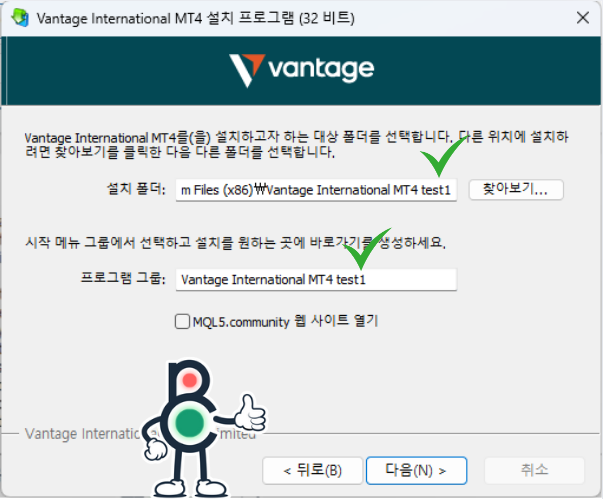
After setting the route, press the Next button to proceed with the installation.

01

Both MT4 and MT5 have the same installation method.

If you have followed the above process,

You can see that it was installed separately.
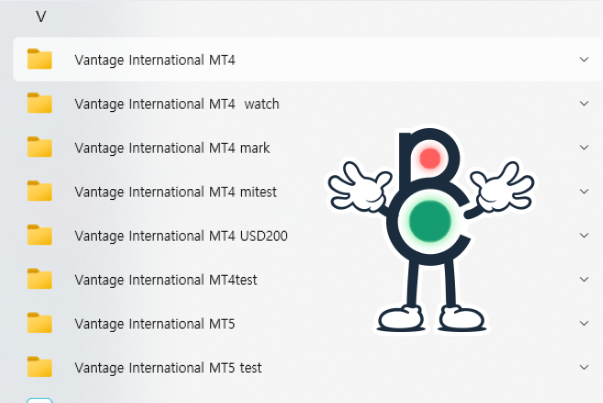
When you press the start key, you can check the MetaTrader installation that has been divided.

BrokersConfirm, the first generation of CFD influencers

It's been more than 10 years.

I have changed my username several times to introduce information related to brokers, CFDs, FX, and so on.

Even back then, we conducted this information through a Naver cafe, and the original pseudonyms were closed down because there were too many spies and they were frowned upon.

We will continue to upload these basic educational guides in full.



Activation of intellectual property tracking and protection by BrokerConfirm / Used for legal use.